The Moveee team
Free coaching · a real route for every ride
Nearly every indoor cycling app is written as though the smart trainer is the entry ticket. Six hundred pounds of direct-drive hardware, and only then do you get to ride. It leaves out an enormous number of people: anyone with a perfectly good fluid turbo in the garage, anyone who rides rollers, anyone who simply is not ready to spend that much on something they are not yet sure they will use through the winter.
You do not need one. With a speed sensor on your back wheel — about the price of two coffees and a taxi — you can ride a real route in a 3D world, see your distance and time build, and have the session land on your calendar afterwards. We build Moveee Indoor, so this guide uses it as the worked example. It is also honest about the things a speed sensor cannot do, because plenty of guides on this subject are not.
What you actually need
Any trainer at all
Fluid, magnetic, wind, rollers — whatever is already under your bike. It does not need to be smart, or even adjustable.
A wheel speed sensor
The £20–30 magnet-free kind that straps to your rear hub. Wahoo RPM Speed, Garmin Speed Sensor 2, Magene, any of them.
Chrome or Edge
On Windows, macOS, Linux or Android. Nothing to install — Web Bluetooth lives in the browser itself.
A heart-rate strap, ideally
Optional, and the single best thing you can add. Without watts, heart rate is how you steer the effort.
That is the whole list. No dongle, no ANT+ stick, no app install, no subscription to start. If you own a bike, something to hold the back wheel, and a laptop, you are one small sensor away from riding.
Setting it up, once
Fit the sensor
It goes on the rear hub and needs no magnet. Spin the wheel once to wake it.
Tell Moveee your tyre
Devices → wheel size. This is the one setting that decides whether your speed is right; a 700×25c default on a 650b wheel reads badly wrong.
Pair it
Open Indoor, hit Connect, pick the sensor from the browser's own chooser. It pairs exactly where a smart trainer would.
Ride
Pick a route and go. Your wheel speed is the world's speed — pedal harder and you move up the road faster.
Step two is the one people skip and then wonder why their speed looks silly. A wheel speed sensor counts revolutions; turning revolutions into kilometres per hour needs the circumference of your specific tyre. Moveee tells you which size it has assumed the moment you pair — "using a 700×25c tyre (2105 mm)" — so if that is not your wheel, you will know within two seconds rather than after a season of wrong numbers. We wrote a short guide to getting the tyre setting right, including how to measure it properly with a tape and a piece of chalk.
What riding is actually like
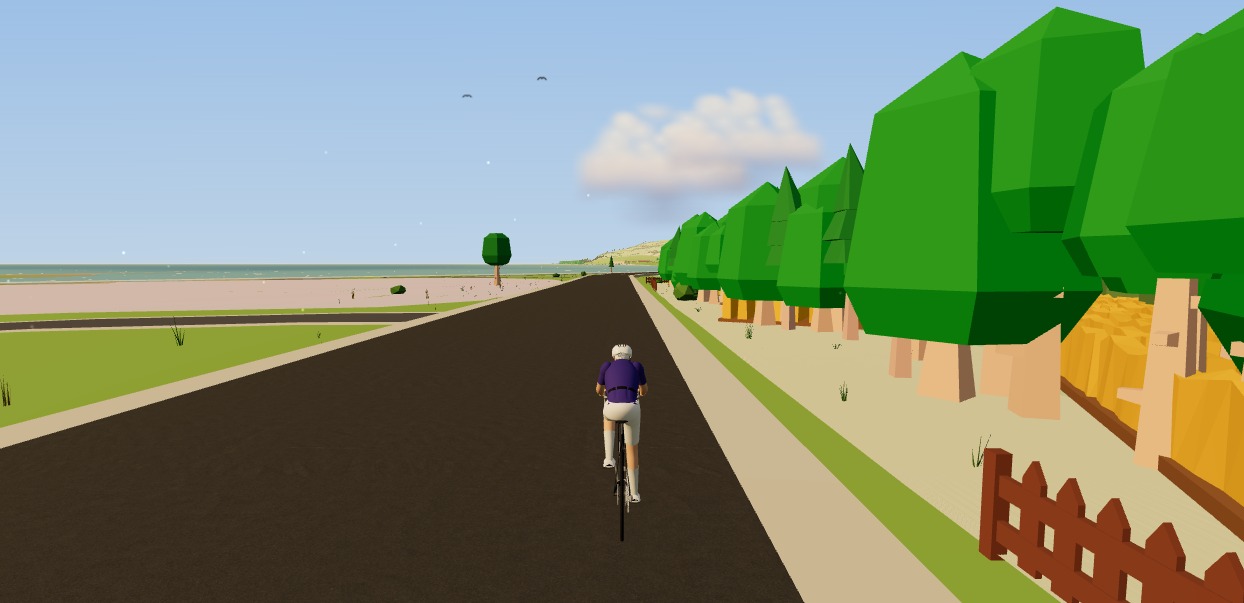
You pick a route — one of yours, or one from the library — and the world builds itself around it from real map and elevation data. You pedal; your wheel turns; the sensor reports its speed; you move up the road at that speed. The scenery, the distance, the time, the route profile: all real.
There is one difference from a smart-trainer ride that you should understand before your first session, because otherwise it will confuse you. When a hill appears, your speed does not drop. With a smart trainer, your watts go through a physics model that works out how fast those watts would carry you up that gradient, and the trainer makes it harder. With a speed sensor, there is no watts figure to run through physics — the sensor's speed is the world's speed. You climb the hill at whatever speed your legs and your gearing are producing.
That sounds like a flaw, and in a race it would be. For training it matters far less than you would expect, because the resistance you are pushing against is still real: it comes from your trainer's own resistance curve and the gear you have chosen. Ride in a harder gear and you work harder, exactly as on the road. What you lose is the automatic part, not the effort.
What gets recorded
The ride saves to your calendar like any other. You get duration, distance, average and maximum speed, the route you rode, and your heart rate if you paired a strap. If your sensor is a combined speed-and-cadence unit, your cadence is recorded too, at no extra cost.
What you do not get is power, and Moveee will not invent it. There is no watts figure, no Normalised Power, no TSS, and no FTP estimate from a speed-only ride. Some apps will show you a "virtual power" number derived from your speed and an assumed resistance curve; we do not, because that number is only as true as the assumption that your trainer is one of a handful of known models, set to a known resistance level, with a known tyre pressure, after a known warm-up. Change any one of those and the number moves without your fitness moving at all. A dash is more honest than a confident wrong number, so the power readout shows a dash.
If you want the full ledger of what is and is not there, we set it out plainly in what speed-only riding gives you and what it does not.
How to make it a real session
Without watts you need a different way to steer effort, and there is a perfectly good one that cyclists used for decades: heart rate, plus how hard it feels. Pair a chest strap — it connects over its own Bluetooth service, entirely independently of the speed sensor — and you have a number that responds to effort rather than to gearing.
The practical method is to use your gears as the resistance dial. Pick a gear that puts you at the heart rate you want, hold it for the interval, drop to something easy for the recovery, repeat. It is exactly how a turbo session worked before smart trainers existed, and it still works. We go through it properly in using your gears as the resistance dial.
Is it worth it, honestly?
If the alternative is not riding indoors at all, then obviously yes — a thirty-pound sensor that turns a dusty turbo into an hour on a real route is one of the better deals in cycling. If the alternative is buying a smart trainer next month anyway, the sensor is still worth it: it will keep working afterwards on your outdoor bike, and it lets you find out whether you actually enjoy riding indoors before spending the six hundred.
The honest limit is this: a speed-only setup is excellent for keeping the engine turning over through a bad-weather stretch, for structured-ish heart-rate work, and for company on a dark evening. It is not the tool for measuring progress precisely, because the thing you would measure progress with — power — is not there. When that starts to bother you, that is the signal to upgrade, and we have written about when the upgrade is genuinely worth it.
Until then: fit the sensor, set your tyre size, and go and ride something.
Sources 5
Where this article summarises a study, the study itself is linked — not a write-up of it.
- 1 Cycling Speed and Cadence Service 1.0 · Bluetooth SIG · 2012
- 2 Heart Rate Service 1.0 · Bluetooth SIG · 2011
- 3 Web Bluetooth · W3C Web Bluetooth Community Group · 2024
- 4 Web Bluetooth API — browser compatibility · MDN Web Docs · 2025
- 5 Achten J, Jeukendrup AE Heart Rate Monitoring: Applications and Limitations · Sports Medicine · 2003
Your own roads, indoors, in a browser tab
Moveee Indoor pairs your smart trainer over Bluetooth and rebuilds a route you have saved as a 3D road — real gradients, ERG for the intervals, and the ride saved with full power data. Nothing to install. Free while it is in alpha.
Start an indoor rideKeep reading
The best indoor cycling app for Mac (no download, runs in your browser)
Looking for an indoor cycling app for Mac that doesn't need a download? macOS runs a full smart-trainer session straight from a browser tab — pairing, ERG, real 3D roads and a Strava upload. Here's how, and the one thing to watch on Apple Silicon.

Turn a dumb trainer smart with a power meter and your browser
You don't need to buy a smart trainer to train with power indoors. Here's how to turn a dumb trainer smart with a power meter (or speed sensor) and a free browser app — including how virtual power fills the gap if you have neither.

Power meter vs smart trainer: which should you buy first?
They measure in different places, and neither is wrong. What independent validation studies show about accuracy, why your two numbers disagree, and which one earns its money first for the riding you actually do.
Try indoor training right now: open Moveee Indoor in your browser
No account wall, no 20-minute download before your first pedal stroke. Here's how to go from cold trainer to riding a real 3D road in about five minutes, straight from a browser tab.
No ERG mode? How to use your gears as the resistance dial on a dumb trainer
How to run a structured indoor session with no power and no ERG — the way everyone did it until about 2015. Four sessions that work, how to steer by heart rate despite its lag and drift, and the one caveat about your training plan.
How to choose a smart trainer (without overspending)
Direct-drive or wheel-on, ERG or not, which protocols matter and what accuracy you actually need. A plain-English buying guide for your first — or next — smart trainer.

An indoor cycling app for Windows with nothing to install
No admin rights, no 12 GB download, no launcher updating itself before every session. Here's how to run a full indoor cycling app on Windows with nothing to install — a browser tab, your smart trainer, and a real 3D road.
Indoor cycling app with no power meter: what you get and what you don't
Both columns side by side. What a speed sensor gives you indoors — the route, distance, heart rate, cadence, a ride that counts — and what it cannot: watts, ERG, TSS, FTP. Including why we refuse to show you a virtual power number.

From a browser tab to Strava: how Moveee Indoor runs a full trainer session
Follow one indoor ride from cold trainer to a Strava post — pairing, ERG intervals, a real 3D road, full power analysis and a one-tap upload — all without installing a thing.
Speed sensor or smart trainer: when is the upgrade actually worth it?
Four signs you have outgrown a speed-only setup, what power actually unlocks, and three routes compared — including the one most people overlook, which is a power meter rather than a trainer. Plus the honest case for staying where you are.
Your first winter on the bike: kit, roads and staying motivated
Winter is where new riders quietly stop. Warm extremities, lower roads, one hard session a week and a fixed ride day carry more fitness into spring than any jacket.
How to ride a GPX file indoors on your smart trainer
Any route you can export as a GPX file, you can ride indoors. Here's how to turn a GPX into a 3D indoor ride on your smart trainer — with real gradients driving the resistance — straight from your browser, no install.