The Moveee team
Free coaching · a real route for every ride
You don't need a laptop, a gaming PC or an app-store download to train indoors. The Android device in your pocket is enough. Here's how to run a full indoor cycling app on an Android tablet or phone, straight from the browser — pairing your smart trainer, holding your watts and saving the ride to Strava, with nothing to install.
Why Android is a great fit for a browser app
Chrome for Android supports Web Bluetooth, the standard a web app uses to connect to a smart trainer. That one fact is what makes an Android tablet such a tidy trainer setup: prop it on the handlebars, open a tab, tap to pair, and ride. No app store, no 12 GB download, no launcher updating itself, nothing taking up storage after you close it.
What you need
An Android phone or tablet
Anything reasonably recent. A tablet's bigger screen is nicer on the bars, but a phone works.
Chrome (or Edge) for Android
These support Web Bluetooth, which is how the browser talks to your trainer. The default browser on most Android devices is already Chrome.
A smart trainer or power meter
Any device broadcasting standard FTMS or Cycling Power over Bluetooth.
Bluetooth on
Built into every Android device — no dongle, no ANT+ stick.

Phone or tablet?
Both work. A tablet gives you a screen big enough to enjoy the scenery and read your numbers at a glance — the better ride experience. A phone is perfectly capable if that's what you have; it's just smaller. Either way the process is identical: open the browser, pair, ride.
A free Android indoor app that rides real roads
Moveee Indoor runs in Chrome for Android with nothing to install. Instead of a fictional world it rebuilds your own saved routes in 3D from real map and elevation data, drives your trainer's resistance from the real gradient, and holds ERG targets through intervals. Rides save with full power data to your Moveee training plan and post to Strava. It's free while in alpha.
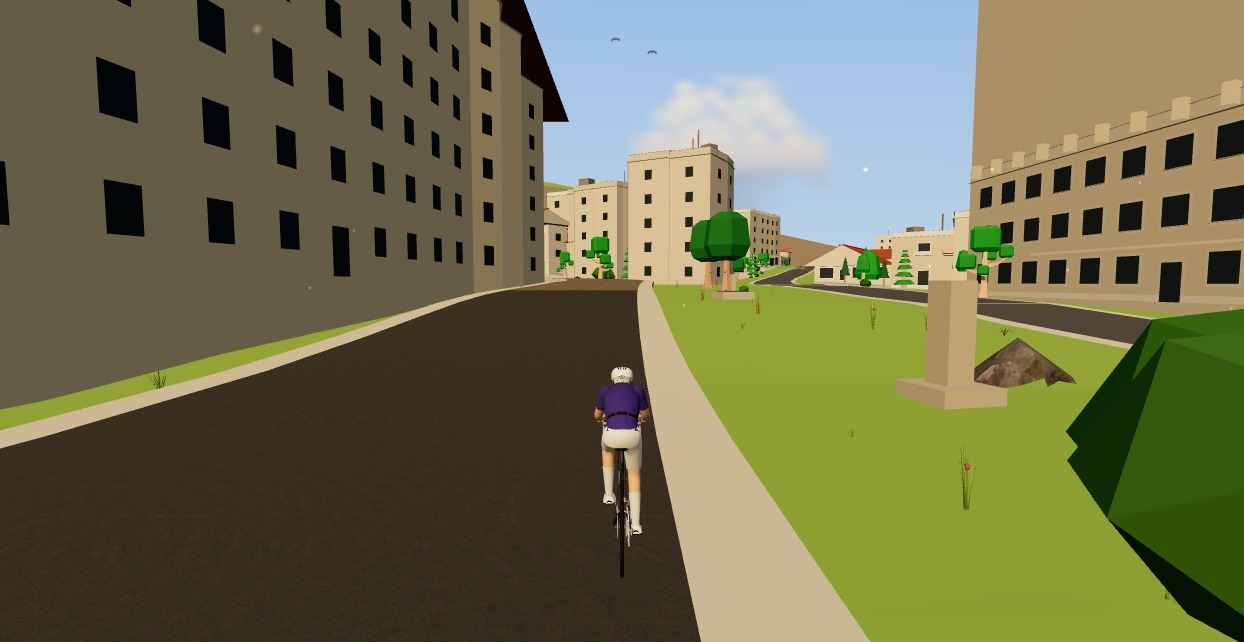
If you've been assuming indoor training needs a proper computer, it doesn't. The device you already carry everywhere can pair your trainer and put a real road on the screen — no app store trip required.
Sources 5
Where this article summarises a study, the study itself is linked — not a write-up of it.
- 1 Communicating with Bluetooth devices over JavaScript · Chrome for Developers (Google) · 2026
- 2 Web Bluetooth – draft community group report · W3C Web Bluetooth Community Group · 2026
- 3 Bluetooth Low Energy overview · Android Developers (Google) · 2026
- 4 Fitness Machine Service 1.0 · Bluetooth SIG · 2017
- 5 Cycling Power Service 1.1 · Bluetooth SIG · 2016
Your own roads, indoors, in a browser tab
Moveee Indoor pairs your smart trainer over Bluetooth and rebuilds a route you have saved as a 3D road — real gradients, ERG for the intervals, and the ride saved with full power data. Nothing to install. Free while it is in alpha.
Start an indoor rideKeep reading
The best indoor cycling app for Mac (no download, runs in your browser)
Looking for an indoor cycling app for Mac that doesn't need a download? macOS runs a full smart-trainer session straight from a browser tab — pairing, ERG, real 3D roads and a Strava upload. Here's how, and the one thing to watch on Apple Silicon.

Indoor cycling on any device: how Moveee Indoor runs in the browser (even on a Mac)
Mac, Windows, Linux, a Chromebook or an Android tablet — if it runs Chrome or Edge, it can run a full trainer session. Here's how one browser app rides on all of them, and the one gap (iOS).

Indoor cycling on a Chromebook: the trainer apps that actually work
A Chromebook can't install Zwift — but it can still run a full trainer session. Here's how to ride indoors on Chrome OS with nothing to download, and exactly what you need.

A free app for Saris and JetBlack trainers (in your browser)
A Saris H3 or a JetBlack Volt doesn't need a subscription to earn its keep — both brands speak standard Bluetooth FTMS, so a browser tab can control resistance, hold ERG targets and record the ride. Model-by-model support, pairing steps, and the honest caveats for older wheel-on units.

Browser vs installed app: why riding indoors shouldn't need a 12 GB download
Installed apps still win on a couple of things — but fewer than you'd think. Here's an honest head-to-head between browser-native and installed indoor cycling, feature by feature.

An indoor cycling app for Windows with nothing to install
No admin rights, no 12 GB download, no launcher updating itself before every session. Here's how to run a full indoor cycling app on Windows with nothing to install — a browser tab, your smart trainer, and a real 3D road.

Turn a dumb trainer smart with a power meter and your browser
You don't need to buy a smart trainer to train with power indoors. Here's how to turn a dumb trainer smart with a power meter (or speed sensor) and a free browser app — including how virtual power fills the gap if you have neither.
Zwift on iPad? A browser alternative for tablets that actually works
Searching for Zwift on iPad — or a lighter tablet alternative? Here's the honest state of indoor cycling on tablets in 2026: what works on an Android tablet in the browser, the real iPad Bluetooth catch, and the simplest setups that just work.

No app store, no install: online cycling training with Moveee Indoor
You don't need an app store, an admin password or 12 GB free to train indoors. Here's what "online, no-install" cycling training actually looks like in practice — and who it suits.

From a browser tab to Strava: how Moveee Indoor runs a full trainer session
Follow one indoor ride from cold trainer to a Strava post — pairing, ERG intervals, a real 3D road, full power analysis and a one-tap upload — all without installing a thing.
How to record an indoor ride to Strava (without Zwift)
An indoor ride should count. Here's how to record an indoor ride to Strava with full power, cadence and heart-rate data — without Zwift — using a free browser app that saves the ride even if your connection drops.
How to ride a GPX file indoors on your smart trainer
Any route you can export as a GPX file, you can ride indoors. Here's how to turn a GPX into a 3D indoor ride on your smart trainer — with real gradients driving the resistance — straight from your browser, no install.